Who. When. Where.

NAT Log Server for MikroTik Networks

TNAT takes NAT logs off your MikroTik routers over syslog, writes one database file per day, and gives back the subscriber behind any public IP and port. It runs on your own server. Nothing goes to a cloud.
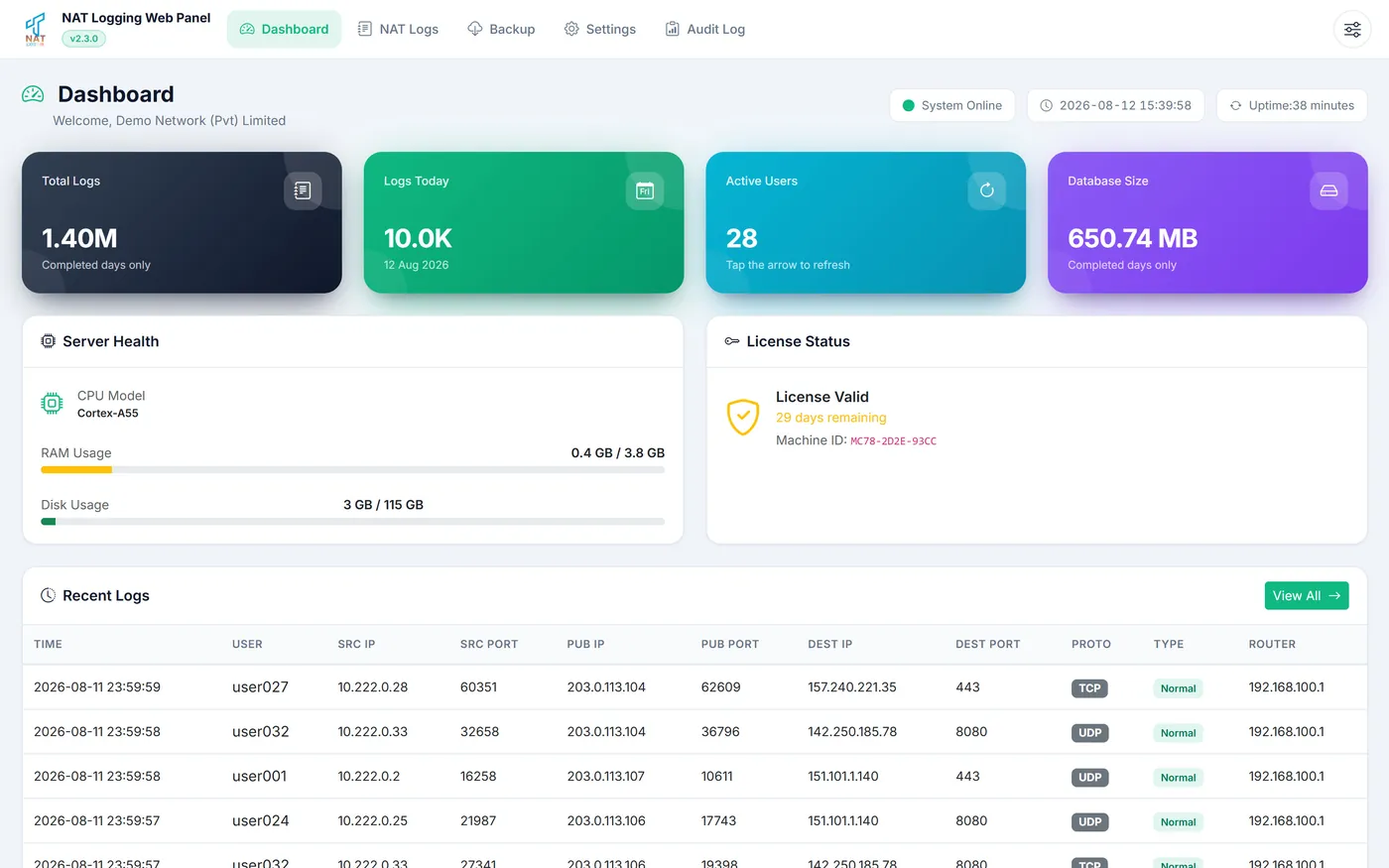
TNAT Log Server dashboard

What the software does

Syslog capture

  • Listens on any port you choose
  • Parses NAT lines as they arrive
  • Works with the setup you already have

Log search

  • 14 filters, 10 columns
  • Exact match on IP, not partial
  • Date and time range

PDF reports

  • Filters carry into the report
  • PDF only, so a filed record cannot be edited
  • Ready to hand over as it comes out

Backups

  • Download any single day
  • Or the whole store at once
  • Handed over as a database file

Audit trail

  • Every administrative action recorded
  • Time, user and IP against each one
  • Exported as PDF

Runs on your server

  • Ubuntu Server, 4 cores, 8 GB RAM
  • Static IP address
  • One-time payment, no monthly fee

Already running on networks like yours

Our multi router setup runs on it and we have had no trouble.

Unique Fiber (Pvt) LimitedLahore, Pakistan

We run a single router and it has been steady throughout.

Grace BroadbandLahore, Pakistan

Set it up once on our router and it has been collecting ever since.

WN CommunicationsLahore, Pakistan

Questions we get asked

01 Is real-time log monitoring available with TNAT Log Server?

Yes. The dashboard carries a live feed, so sessions appear as the routers send them. That makes it easy to confirm the server is receiving and to watch activity as it happens.

02 Does TNAT Log Server support different log listening ports?

Yes. The standard syslog port is UDP 514, and it can be changed to any UDP port that suits your network.

03 How does TNAT Log Server comply with PTA regulations?

It captures the fields PTA expects an operator to hold against a NAT session, including the subscriber, the public address and port, the destination, and the exact time. Reports are issued as PDF, so once a record has been handed over it cannot be altered.

04 What should be maintained for uninterrupted log collection?
Three things:
  1. The log server keeps the same static IP address.
  2. The logging rules on the MikroTik stay as they were set. If the server address ever changes, the Remote Address on the router has to be changed to match.
  3. The server stays powered on.
05 How do I add a new MikroTik router?

Set the logging rule on the router so it sends to the log server. Nothing is configured on the software side.

06 Why am I not getting any logs?
Check these in order:
  1. The firewall rules on the MikroTik.
  2. The Remote Address in the router's logging action against the log server's IP. They have to match.
  3. That the log server service is running.
  4. That the router can reach the log server, by pinging it.
  5. The free space on the disk.

Ready when you are

The form takes a few minutes. The guides are there for anything you want to settle first.